 Tempor
When operatives won't install an app on their personal phones: how site kiosk tablets fix clock-in arguments
You cannot legally force a subcontractor or PAYE operative to install work software on their private phone, and phones die or lose signal on site every week. Letting just three holdouts stay on paper timesheets costs nearly £4,000 a year in daily rounding. Here is how putting a shared Kiosk tablet in the site cabin or supervisor's van ends the argument.
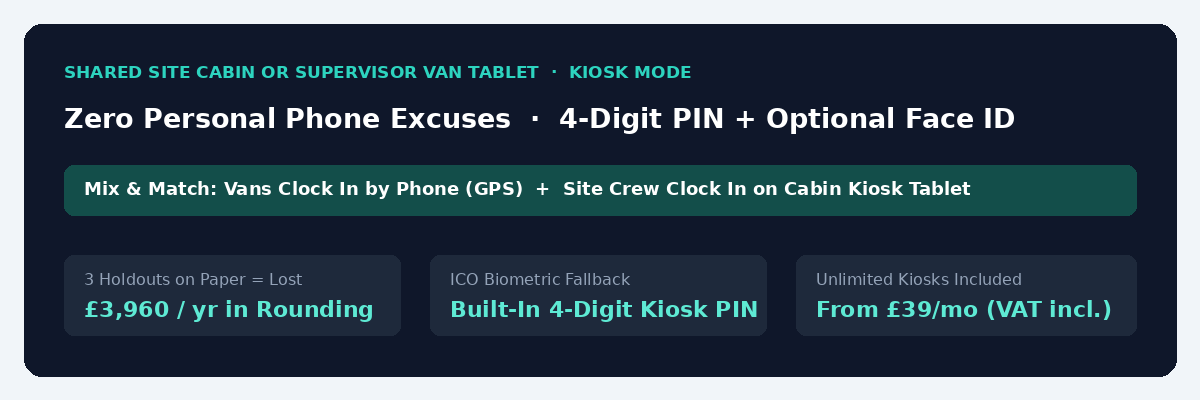
Every construction, electrical, and groundwork director who moves their crew off paper timesheets hits the exact same wall on Monday morning. Seven of your lads download the mobile app in two minutes and clock in without a fuss. The other three look at you and say: “I’m not putting a work tracker on my personal iPhone,” or “My battery died at lunchtime,” or “I’ve got no data left this month.”
If your time-tracking system only works on each operative’s personal phone, those three holdouts pull your whole business straight back into paper sheets and Friday WhatsApp guesswork. At £22 an hour, letting just three workers fall back onto rounded “8 till 4:30” messages costs your company £3,960 a year in unworked morning and afternoon rounding alone. That is why we built a shared-tablet Kiosk Mode straight into Temporra alongside STF Electrics, included at no extra cost on every plan from £39 a month.
Why site workers refuse mobile apps (and why you cannot force them)
Sometimes an operative refuses to install an app because they do not want the office seeing that they arrived at 08:19 instead of 08:00. Just as often, the objection is completely reasonable.
First, unless you hand out company-owned phones and pay the monthly mobile contracts yourself, you cannot legally force a PAYE employee or an independent CIS subcontractor to use their own private phone, storage space, and mobile data plan to run your business software.
Second, construction sites are brutal on phones. Lads working in a dusty riser, pouring concrete in the rain, or working two floors underground in a basement plant room either leave their personal phone in the van so the screen does not get smashed, or have zero mobile signal where they are working.
Third, under UK GDPR and the Information Commissioner’s Office (ICO) rules on biometric data at work, if you use Face ID clock-in to stop buddy punching, you must offer a non-biometric alternative for any worker who does not consent to facial recognition, without penalising them. A four-digit PIN on a site Kiosk tablet satisfies that rule cleanly on day one.
Personal phone app vs Site Kiosk Tablet vs mixing both
In Temporra, you do not have to choose one method for the whole company. Mobile vans can use their phones while a fixed commercial site uses a £110 tablet on the wall of the site cabin, and every shift lands on the exact same live dashboard:
| Site scenario | Mobile-app-only time trackers | Temporra (Phone App + Site Kiosk Mode Included) |
|---|---|---|
| Operative refuses to put a work app on their personal phone | Falls back to paper timesheets or Friday WhatsApp rounding (£1,320/yr lost per worker) | Clocks in on the shared Kiosk tablet in the site cabin or supervisor’s van using their 4-digit PIN |
| Worker’s phone battery dies at 2 PM | Shift stays open all night and has to be chased and edited manually on Friday | Worker walks up to the site Kiosk tablet at 16:30 and clocks out with their PIN in five seconds |
| Basement or plant-room fit-out with zero mobile signal on Three/O2/EE | Crew cannot clock in at the gate | Connect one Kiosk tablet to the main contractor’s site Wi-Fi and the whole crew clocks in on that screen |
| Worker opts out of biometric Face ID under UK GDPR | You have no compliant fallback other than paper | 4-digit Kiosk PIN gives you a built-in ICO-compliant non-biometric alternative on the same timesheet |
| Extra monthly fee for Kiosk Mode | Often sold as a paid add-on or locked behind Enterprise tiers | £0 extra (included on every flat band from £39/mo, VAT included) |
How Temporra Kiosk Mode works in a site cabin or supervisor’s van
You do not need proprietary wall hardware that costs £800 a box. Any standard iPad or £110 Android tablet in a rugged £15 rubber case runs Temporra’s Kiosk Mode straight from the browser or app.
On a fixed site with a welfare cabin or lockup container, you mount the tablet inside the door connected to the site Wi-Fi or a £6-a-month data SIM. On a mobile groundwork or electrical squad where four men travel in two vans, the working foreman keeps the tablet in the glovebox of the lead van inside the site’s 200-metre GPS postcode geofence.
When a worker arrives in the morning, they walk up to the tablet, select their name, and type their private four-digit PIN (with an optional live camera check if they have consented to Face ID). Five seconds later, the screen resets ready for the next person in the queue. Nobody can see anyone else’s pay rate, historical hours, or CIS statements, and the excuse “my phone wasn’t working” disappears overnight.
Every Kiosk clock-in feeds live job costing, invoices, and CIS
Whether an electrician clocks in on their own phone in Romford or types their four-digit PIN into a Kiosk tablet in Croydon, Temporra treats both entries identically in the back office.
Every shift updates your live job-costing budget bar the second the worker clocks out, so you can see whether a fixed-price quote is holding its margin in week two instead of four weeks after the job finishes. At the end of the week, those exact same Kiosk hours generate your itemised client and variation invoices, your monthly CIS payment and deduction statements before the 19th, and your one-click CSV payroll export for Sage, Xero, QuickBooks, and BrightPay.
One flat monthly price by team band, VAT included
As we broke down in our guide to per-worker pricing versus flat team bands, Temporra never charges per device, per kiosk, or per user seat. You pay one flat monthly price for your team band with UK VAT and every feature included: £39 a month for 1 to 5 active workers, £69 a month for 6 to 10 workers, £129 a month for 11 to 20 workers, and £239 a month for 21 to 50 workers. See the full breakdown on our pricing page.
Common questions
Can a worker clock in on their phone in the morning and clock out on the site Kiosk tablet in the afternoon?
Yes. All shifts sit on the same central record. If a worker clocks in on their phone at 07:30 and their phone battery dies during the day, they can clock out using their 4-digit PIN on the site Kiosk tablet at 16:30 without needing a manager to fix the entry.
Do we have to buy special tablet hardware from Temporra?
No. Kiosk Mode runs on any standard iPad or Android tablet with an internet connection (Wi-Fi, mobile hotspot, or SIM card). You can set up as many site kiosks as you have active jobs at no extra software cost.
Can one Kiosk tablet stop buddy punching if Face ID is turned off?
Yes, when placed in the site cabin or held by the site supervisor at the start of the shift, and for workers who consent to Face ID, the tablet can also run the live camera template match alongside the PIN.
Can we test Kiosk Mode and mobile clock-in together for free?
Yes. Every new account starts with a 14-day free trial with all features unlocked and no payment card required. Set up a tablet in your cabin or van today and test it with your crew for two weeks.
Related guides
- Face ID and Geofenced Clock-In: What Temporra Checks
- How to Stop Buddy Punching on UK Construction Sites
- Beating the 19th of the Month CIS Rush: Site Clock-Ins to Sage & Xero
- Per-Worker Pricing vs Flat Team Bands: 2026 Cost Comparison
We post each new guide on the Temporra Facebook page. Follow it there if you’d like the next one, and a like helps other UK employers find it.
Start a 14-day free trial →No card needed for the trial. One flat monthly price by team size, from £39 for up to five workers, VAT included. See pricing.